 Unlockr
What Happens When You Block Internet on Your Phone?
You can want fewer feeds without wanting to lose the useful parts of your phone. That makes a simple question worth asking: what changes when the connection goes away, but the phone stays? A real experiment tested a version of that idea.
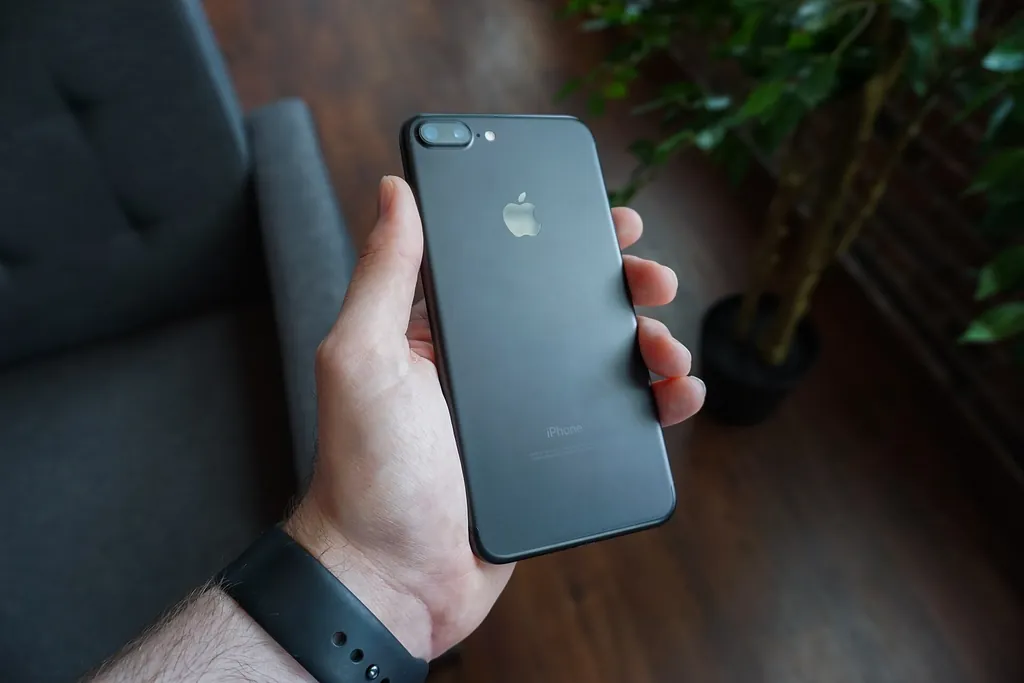
It helps to separate three decisions: having a phone with you, having internet available on that phone, and having unrestricted access to particular apps. A smaller change to one of those things can be useful to consider before replacing the device entirely.
The practical question: which connection do you want to change, what do you need to keep working, and how will you decide whether the change helped?
What the two-week experiment tested
In a preregistered 2025 trial led by Noah Castelo, 467 iPhone users were assigned to immediate or delayed blocking. The Freedom app blocked phone internet, including Wi-Fi and cellular data, for two weeks. Calls and texts remained available, and participants could use internet on other devices.
The immediate-blocking group improved on an objective sustained-attention task and self-reported psychological measures over that period; the delayed group, still using internet normally, did not. A task result does not establish a permanent improvement in every kind of everyday concentration.
The participation detail worth noticing
Of the 467 participants, 266 set up the app and 119, or 25.5%, met the Results section's compliance definition: blocking for at least 10 of 14 days. The main analyses retained noncompliers, but required complete follow-up data; attrition remains a limitation.
For a personal decision, feasibility belongs alongside possible benefit. Ask what would make a setup workable on an ordinary weekday. If it repeatedly gets in the way of something essential, write that down instead of treating every exception as a failure of willpower.
You might need an internet-dependent messaging app to coordinate a shift, a live service to get home, or an online code to sign in. Listing those needs gives you a clearer starting point than deciding that everything online must disappear.
What a different reduction trial adds
A separate 2025 randomized trial by Christoph Pieh and colleagues assigned 111 healthy students to reduce smartphone use to at most two hours daily for three weeks or continue as usual. At the end of the intervention, the reduction group showed improvements on measures of stress, well-being, depressive symptoms, and insomnia symptoms compared with controls.
Screen time rose again afterward, and the groups no longer differed in usage by the later follow-up. The study was unblinded and involved a specific student sample. It tested a usage limit, not the same internet block or attention task, so it is not a replication of the first trial's attention result.
The distinction is useful when choosing a goal. Removing a connection and reducing the time you use a device are different interventions. Keep your own plan specific enough that you know which one you changed.
Plan a smaller personal comparison
The steps below are practical suggestions, not a replication of either experiment. A shorter or narrower trial cannot be assumed to produce the same outcomes.
1. Pick the activity you want to protect
Start with something concrete: reading a chapter, writing a section of a report, or spending a walk away from a feed. Decide what you would like to do during that period, rather than measuring success only by the absence of a screen.
Keep the question modest. “Can I finish this section with fewer unplanned checks?” is easier to evaluate than “Will my attention be fixed?”
2. List the phone functions you actually need
Choose the people who may need to reach you, the services your task requires, and any arrangements that cannot wait. Test the actual contact route in your chosen setup. Ordinary SMS and an internet-dependent messaging service are different things to check.
If navigation matters, Apple offers downloadable offline maps. Download the relevant area and check it ahead of time. That is a way to prepare one function; it does not tell you whether every other service you rely on will work offline.
3. Match the restriction to your goal
A color change, quieter notifications, restrictions on a feed, and a phone-wide internet block alter different parts of the experience. Choose the smallest change that addresses the specific situation you wrote down.
If you only want to reduce time in one feed, begin by examining access to that feed. If the broader temptation is continually searching, refreshing, and moving between online services, define that pattern separately. Our iPhone screen-time guide covers other settings and approaches.
Be precise about connectivity: disabling cellular data does not by itself rule out Wi-Fi access. Check what your selected setup actually permits, rather than treating “data off” as a complete description.
4. Give yourself somewhere to put the urge
Keep the book, document, or other material you intend to use ready before you start. When you reach for the phone, make a quick note of what you wanted from it: a specific answer, a message, or something new to look at.
If it is a task you can handle later, put it on a short list for the next planned check. If it genuinely needs doing now, do it deliberately and record the exception. The point is to understand what interrupts the activity, not to create a perfect streak.
5. Watch for switching to another screen
At the end, ask whether you simply opened the same feed on a laptop. That might fit your goal if the goal was to keep the phone away during a particular activity. It would not answer a different question about reducing overall media use.
Measure what matters to you: completing the intended task, fewer unplanned visits, time in a particular app, or a more manageable routine. Keep those outcomes separate.
6. Decide what will happen afterward
Before returning to your usual setup, decide what you want to retain. Perhaps it is one protected activity, one app restriction, or a particular check-in time. Write down the arrangement you can maintain rather than relying on the novelty of the first day.
Keep the question specific
A phone is a collection of tools, contacts, and invitations to do something else. You can evaluate those parts separately. What helps during a work session may be different from what is useful while travelling or coordinating with other people.
Choose an arrangement that lets you do the thing you intended, then review what happened. If the main issue is an unanswered alert or another inbox visit, our guides to notifications and focus and checking email less often address those more specific situations.
Frequently asked questions
Is turning off cellular data the same as going offline?
No. Your phone may still use Wi-Fi. Check the connections and the actual apps in your setup rather than assuming one switch removes every internet route.
Would a shorter break produce the same result?
That would need separate testing. Results from a two-week intervention should not be assumed to apply to an evening break, a different blocking method, or every individual.
Do I need to buy a basic phone first?
Start by deciding which functions you want to keep and which uses you want to change on the phone you already own. A hardware purchase is a separate decision.
Sources
- Castelo, N., Kushlev, K., Ward, A. F., Esterman, M., & Reiner, P. B. (2025). Blocking mobile internet on smartphones improves sustained attention, mental health, and subjective well-being. PNAS Nexus, 4(2), pgaf017. doi.org/10.1093/pnasnexus/pgaf017.
- Pieh, C., Humer, E., Hoenigl, A., Schwab, J., Mayerhofer, D., Dale, R., & Haider, K. (2025). Smartphone screen time reduction improves mental health: a randomized controlled trial. BMC Medicine, 23, 107. doi.org/10.1186/s12916-025-03944-z.
- Apple. How to download maps to use offline on your iPhone; View or change cellular data settings on iPhone. Checked November 8, 2026.